01 / TALENT
DJs
Your sets. Your schedule. Your agreed fee. Keep the details together so you can focus on the music.
DJ login New here? Open the invitation from your venue.

Your sound. Your talent. Your room.
The booking workspace for nightclub owners,
talent buyers, DJs and promoters.
PRIVATE ROSTER · WRITTEN OFFERS · CONFIRMED SETS
Keep your DJs, genres and booking details together. Send a clear offer with the date, set time and agreed fee. Give your talent one place to respond.
Explore the DJ rosterInvite your own talent. Keep your roster private.
Choose your role to sign in.
Your account takes you to your workspace.
Your sets. Your schedule. Your agreed fee. Keep the details together so you can focus on the music.
DJ login New here? Open the invitation from your venue.Know the night, add guests to your list and follow verified entries. Keep your venue agreements in view.
Promoter login New here? Your venue will invite you to join.Build the lineup, coordinate your team and keep bookings, arrivals and payment records in one place.
Venue owner login Venue manager login →Managers use their own invited accounts for each venue. Talent buyer login → · Door staff login →
A clear path from “Are you free?”
to “See you at the booth.”
Find the right DJ in your roster. Put the date, set time, fee and terms into one clear offer.
The DJ accepts the offer. Everyone has the same booking details and written terms.
Coordinate promoters, verify arrivals and keep your team focused on what happens next.
Confirm the set, review the amount owed and track the payment record through receipt.
Open Backstage on your phone, tablet or desktop. From tonight’s lineup to the next booking, your team knows where to look.
Take a look inside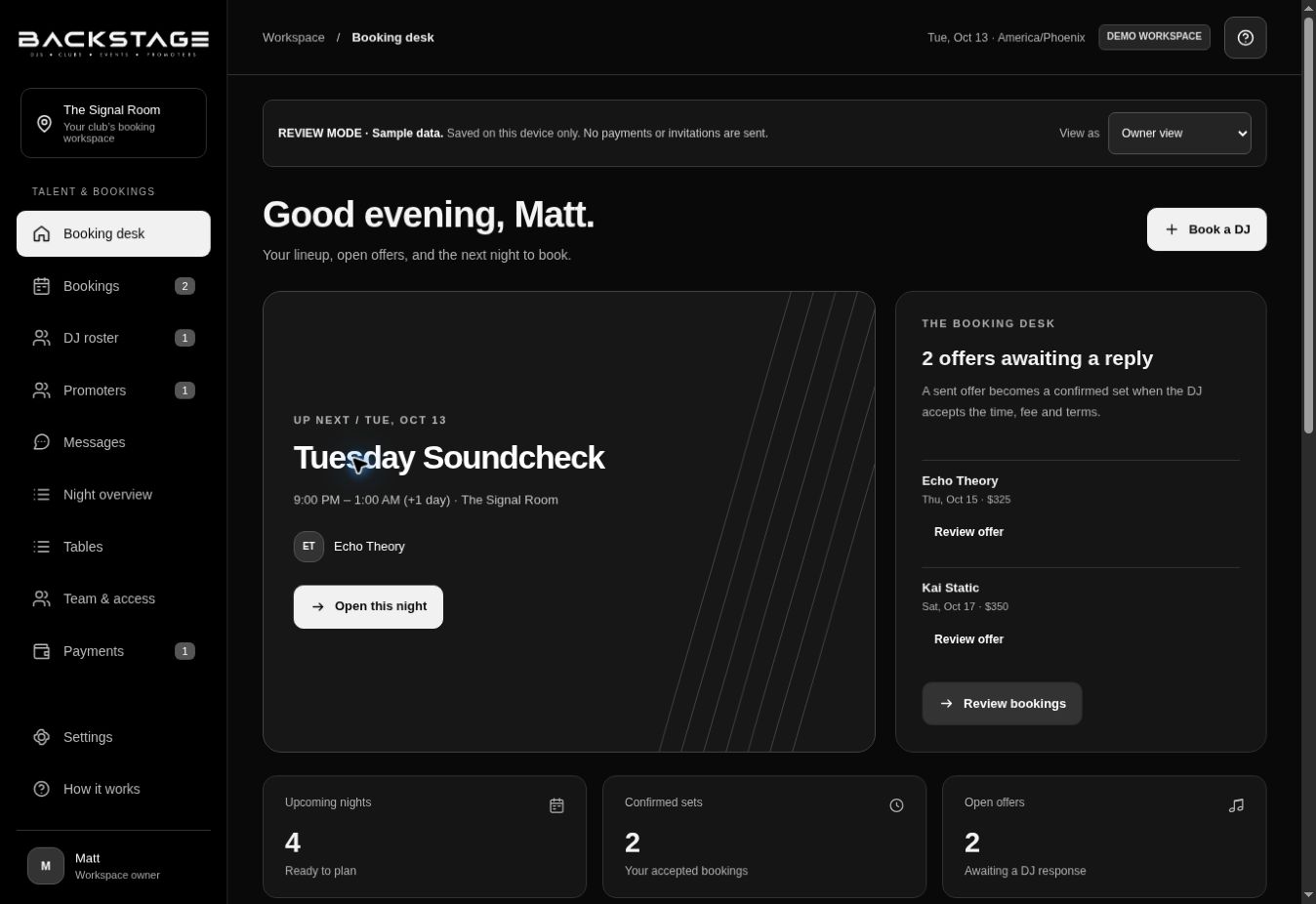
Your venue sends you a private invitation. Open that link to create your account, then use the DJ or promoter login on this page. Already joined? Sign in with your workspace name, email and password.
Choose “Set up your club” and complete the owner details. Verify your email to create your workspace, then invite your managers, DJs and promoters. Each manager gets an individual login for that venue.
Your venue can email your private invitation or share it by text. Create your own password, or use the invited Google account when enabled. Existing members can connect Google from Account & privacy after signing in with their password.
Yes. The venue owner can turn on Talent Buying and invite a buyer. The buyer proposes the DJ, set time and fee. The owner reviews the separate venue service fee before sending the offer to the DJ. Pricing must be set before approval; automatic fee collection is not available in this release.
Requests and replies appear in Updates. Choose email or optional text alerts in Notifications. Text alerts require a verified mobile number and consent. Your venue’s delivery services must be connected for email and texts to reach you.
Promoters can add and remove names for their accepted nights. Venue staff can find those names at the door. Only verified physical arrivals count toward reviewed promoter earnings.
Automatic payouts are not available in this release. The venue pays through its agreed outside method, records the payment, and the DJ confirms receipt. Approving a fee in Backstage does not send money.
No. Guests still pay through your existing POS. Backstage keeps table reservations, arrivals and owner-entered receipt records together.
Yes. Backstage has a responsive web interface for phones, tablets and desktops. A native App Store download is not currently provided.